Language & Currency

Select Country / Currency

USD
  • United States USD

Select Language

Menu
  • Menu
  • Car Stereos
    Menu

    Shop by Brand

    Toyota Toyota Ford Ford Jeep Jeep Honda Honda Chevrolet Chevrolet Dodge Dodge Nissan Nissan Hyundai Hyundai Mercedes-Benz Mercedes-Benz Cadillac Cadillac Hummer Hummer Kia Kia Buick Buick
  • Car Accessories
  • Black Friday Deals
  • Support
    • Menu
    • About Us
    • Contact Us
    • Help Center
    • Blog
    • Track your order
    • Partnership
  • Register Your OBD
Free Shipping Worldwide Over $70 Free Shipping Worldwide Over $70 Free Shipping Worldwide Over $70
A-Sure
    USD ⌄
    Hello. Sign in | Register
    • Shopping Cart 0
      Your Cart
    Menu
    A-Sure
    0
    • Car Stereos
      Menu

      Shop by Brand

      Toyota Toyota Ford Ford Jeep Jeep Honda Honda Chevrolet Chevrolet Dodge Dodge Nissan Nissan Hyundai Hyundai Mercedes-Benz Mercedes-Benz Cadillac Cadillac Hummer Hummer Kia Kia Buick Buick
    • Car Accessories
    • Black Friday Deals
    • Support
      • Menu
      • About Us
      • Contact Us
      • Help Center
      • Blog
      • Track your order
      • Partnership
    • Register Your OBD
    Article

    Android Car Stereo AC Controls Not Working? Check Your CANBUS Settings

    • By 崔才瑞
    • on November 23, 2026
    • Categories: Car Stereo

    ASURE TROUBLESHOOTING GUIDE

    Android Car Stereo AC Controls Not Working? Check Your CANBUS Settings

    Learn why air conditioning information or controls may not work after installing an aftermarket Android head unit.

    After installing a new Android car stereo, you may notice that the air conditioning (AC) information is not displayed correctly, or certain AC-related functions do not respond as expected.

    This does not automatically mean your new head unit is defective. In many vehicle-specific installations, AC information and supported factory functions are communicated through the vehicle's CANBUS system.

    1. What Does CANBUS Have to Do with AC Controls?

    CANBUS is a vehicle communication system that allows different electronic modules to exchange information. Depending on the vehicle and factory equipment, the original radio may receive information such as:

    • Air conditioning status or temperature information.
    • Fan speed or supported climate-control information.
    • Vehicle door status.
    • Other supported vehicle information.

    When an aftermarket Android head unit uses a compatible CANBUS decoder, it may be able to display or interact with some of these functions.

    However, not every vehicle supports every function, and the available features depend on the vehicle's original electronic system and the compatible CANBUS configuration.

    2. Check the CANBUS Decoder Connection

    If your ASURE stereo comes with a CANBUS decoder, first make sure that the decoder is connected to the correct harness and that all connectors are firmly seated.

    • Check the connection between the CANBUS decoder and the main wiring harness.
    • Check the decoder's connection to the head unit, where applicable.
    • Look for loose connectors or damaged wiring.
    • Make sure the correct vehicle-specific harness is being used.

    3. Select the Correct Vehicle and CANBUS Protocol

    This is one of the most important checks when factory vehicle information does not appear correctly.

    On CANBUS-equipped models, the head unit needs the correct vehicle settings and protocol to communicate with the vehicle.

    1. Open the head unit's Settings menu.
    2. Enter the vehicle or factory settings section.
    3. Find the CANBUS or vehicle protocol configuration.
    4. Select the appropriate CANBUS brand, vehicle model, and configuration for your specific vehicle.
    5. Save the settings and restart the unit if required.
    6. Test the supported AC information and controls again.
    Important: The exact menu names and available protocol options vary by stereo model and vehicle. Do not randomly select a protocol. If you are unsure which option to choose, contact ASURE support for guidance.

    4. Check Vehicle Compatibility

    Even when the correct CANBUS decoder is connected, some vehicles may not transmit all climate-control information to an aftermarket stereo.

    Other factors may include:

    • Different trim levels or factory climate-control configurations.
    • Different CANBUS decoder versions.
    • Vehicle-specific communication protocols.
    • Functions that are not supported by the original vehicle system.

    5. What Information Should You Send to ASURE?

    If AC information or controls still do not work, please send our technical team:

    • Your vehicle make, model, year, and trim level.
    • Your ASURE stereo model number.
    • A photo of the CANBUS decoder and wiring connections.
    • A screenshot of the vehicle or CANBUS protocol settings.
    • A short video showing the AC issue, if possible.

    This information helps our team identify whether the issue is related to wiring, protocol configuration, or vehicle compatibility.

    Need Help with Your ASURE Stereo?

    We are here to help you get your factory vehicle functions working correctly.

    Visit ASURE Help Center

    Email: asure2008@gmail.com

    • All
    • ASURE Car Stereo
    • Twitter
    • Facebook
    About Author
    Admin

    崔才瑞

    Blogger & Photographer
    Previous Post Next Post

    RELATED ARTICLES

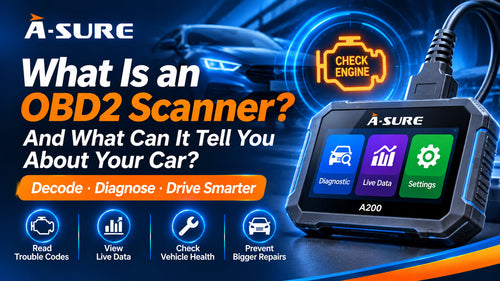
    What Is an OBD2 Scanner and What Can It Tell You About Your Car?
    November 23, 2026 Car Stereo

    What Is an OBD2 Scanner and What Can It Tell You About Your Car?

    0
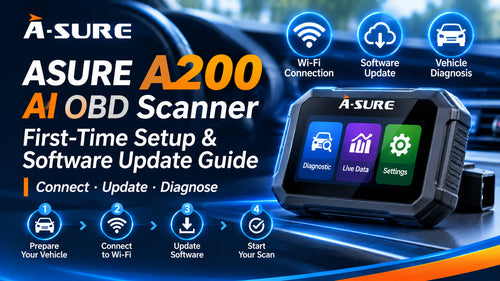
    ASURE A200 AI OBD Scanner: First-Time Setup and Software Update Guide
    November 23, 2026 Car Stereo

    ASURE A200 AI OBD Scanner: First-Time Setup and Software Update Guide

    0
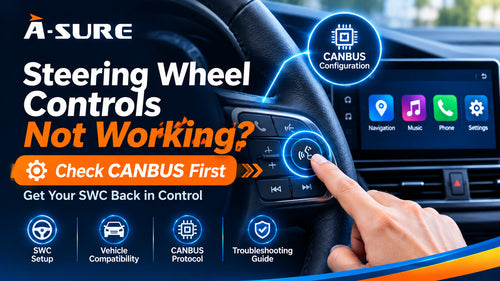
    Steering Wheel Controls Not Working on Your Android Car Stereo? Check CANBUS First
    November 23, 2026 Car Stereo

    Steering Wheel Controls Not Working on Your Android Car Stereo? Check CANBUS First

    0
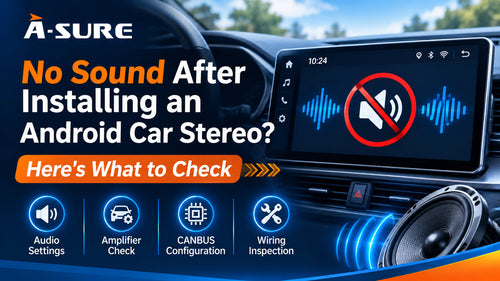
    No Sound After Installing an Android Car Stereo? Here's What to Check
    November 23, 2026 Car Stereo

    No Sound After Installing an Android Car Stereo? Here's What to Check

    0

    Leave a comment

    Comments have to be approved before showing up

    Categories
    • Car Stereos
      • Ford
      • Kia
      • Honda
      • Chevrolet
      • Jeep
      • Toyota
      • Mercedes Benz
      • Dodge
      • cadillac
      • Nissan
      • Hummer
      • Hyundai
    • Car Accessories
    • Black Friday Deals
    • Support
      • About Us
      • Contact Us
      • Help Center
      • Blog
      • Track your order
      • Partnership
    • Register Your OBD
    Social
    • Twitter
    • Facebook
    Tags
    • All
    A-Sure
    EASEY COMMERCIAL BUILDING, ROOM 1502, HENNESSY ROAD 253-261, WANCHAI, HK
    +86 755 36938919 Mon-Fri 9:00 to 18:00
    asure2008@gmail.com
    Follow US:
    • Social
    • Social
    • Social
    • Social
    OUR COMPANY
    • About Us
    • Contact Us
    • Help Center
    • Blog
    • Track your order
    SUPPORTS
    • How to shop
    • Payment Method
    • Shipping and Return
    • Terms and Conditions
    • Partnership Inquiry
    SUBSCRIBE TO A-SURE

    Get the latest offers, news, and updates from A-SURE.

    WE ACCEPT:

    © 2008-2026 A-SURE. All Rights Reserved.

    Product successfully added to your Shopping Cart

    Continue Shopping
    Proceed to Checkout

      Sample Product

      • Twitter
      • Facebook
      • Google+